How to Setup Port-Forwarding for Warframe Through a Sonicwall
You may receive the below error when starting Warframe. This can also cause issues with hosting a game or inviting other players to join your session. Use the following guide to allow access, without enabling UPnP.
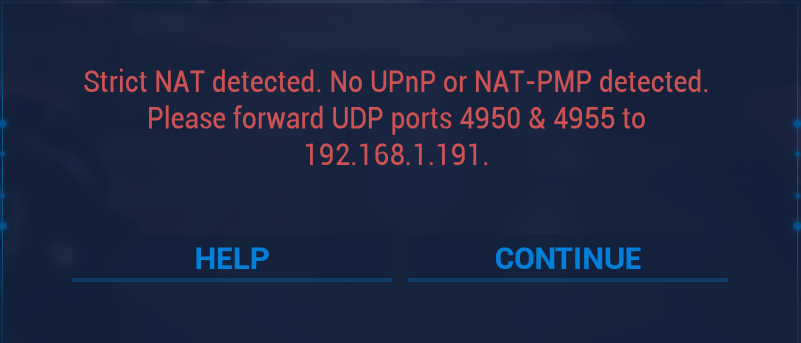
- Create the following service objects:
Name: Warframe TCP 6695-6699
Protocol: TCP
Port Range: 6695-6699
Name: Warframe UDP 4950
Protocol: UDP
Port Range: 4950
Name: Warframe UDP 4955
Protocol: UDP
Port Range: 4955 - Place these in a service group "Warframe UDP/TCP Ports"
- Create appropriate NAT policies and access rules. The easiest way to do this is to run "Quick Configuration" in SonicOS 6.5
- Choose Public Server Guide
- Server Type: Other and choose our Warframe service group
- Server Name: Choose the hostname for your PC and set your PC's IP address for Server Private IP Address
- Server Public IP Address should already be filled out, but this will be your WAN public IP
- Choose apply
- The Quick Configuration will create the NAT policies and applicable access rules. You can clean this up a bit if you'd like, as it will create an unneccessary service group called "<hostname> Services" which we can switch out for our Warframe group.
- Enable Consistent Nat under VOIP options and apply
- To check if error is still occurring:
- Start Warframe and see if the error re-occurs. It may take a few minutes for our changes to be in effect.
- If Warframe is already running, you can diagnose the network under Options > System > Analyze Network. You may receive a different error "Please allow access to ports 4950 & 4955 through your firewall". Give it a few minutes and this should go away.